
Lyrics Catcher
Finds lyrics for the songs in a folder and writes them into your music files.
Download Source codeFree and open source (GPL v3). Windows, macOS and Linux. Latest version: 1.5.0.
1 star on Codeberg
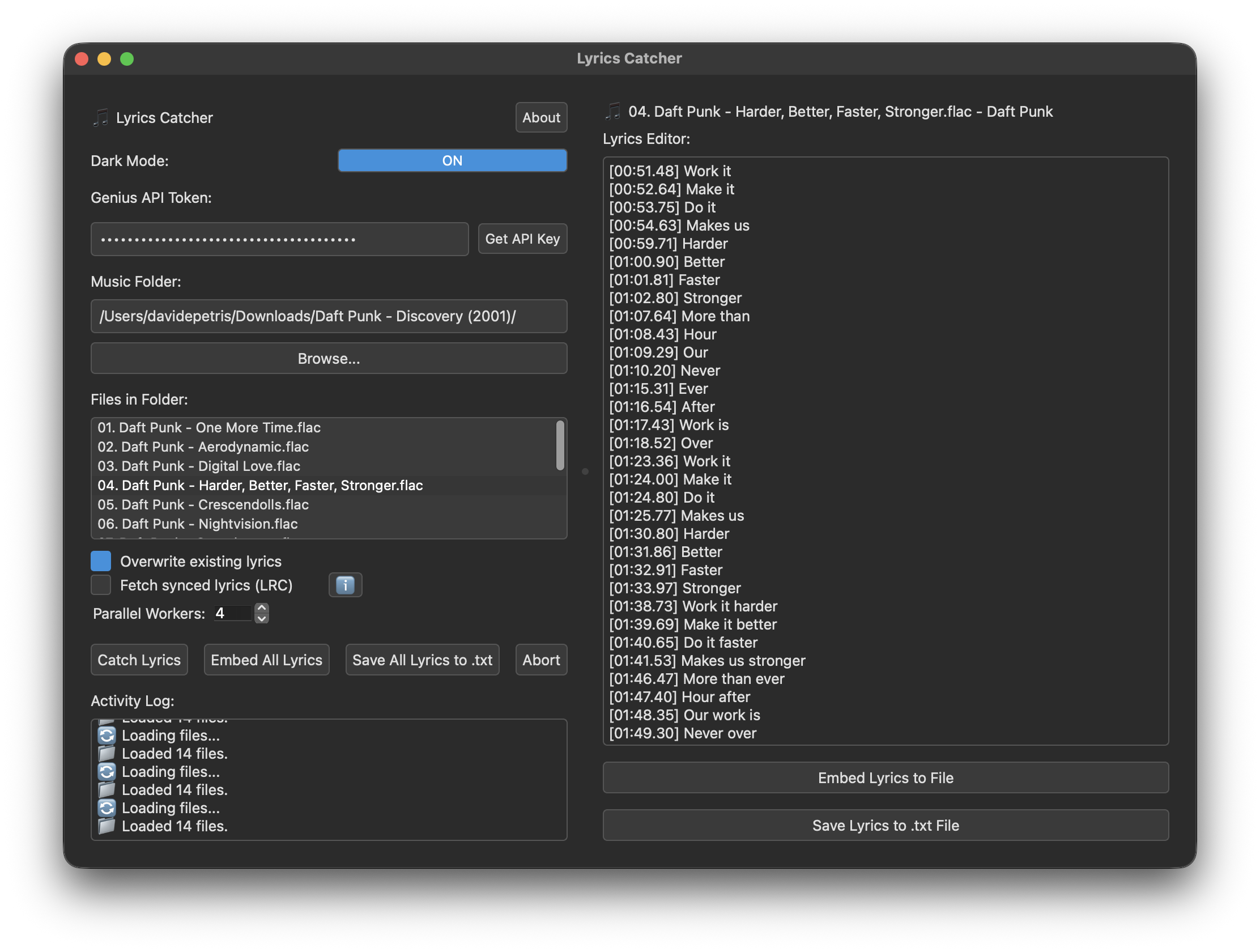
Lyrics inside the files
Lyrics are written into the tags of your mp3, flac, m4a, mp4, ogg, opus and alac files, so any player that reads them can show them. You can also save them as .txt or .lrc files next to the songs.
Synced lyrics
Turn on the LRC option to get timestamped lyrics from LRCLIB. If a song doesn't have any, the app falls back to plain lyrics from Genius.
You check before it saves
Every result opens in an editor. Fix a line or a section label, then save one song or the whole folder. Nothing is written to your files until you press save.
How to use it
- Get a free API token from genius.com/api-clients and paste it into the app. It is not saved, so you paste it again next time.
- Drop your music folder onto the window, or press Browse.
- Press Catch Lyrics. Click a song in the list to read or edit what was found.
- Press Embed Lyrics to File, or save as .txt (.lrc for synced lyrics). The "All" buttons do the whole folder.
Songs need artist and title tags to be found. Lyrics from Genius that aren't detected as English are skipped, so songs in other languages won't get plain lyrics. Songs that already have lyrics are left alone unless you tick "Overwrite existing lyrics".
Where the lyrics go
| Format | Extension | Tag |
|---|---|---|
| MP3 | .mp3 | USLT (plain), SYLT (synced) |
| FLAC | .flac | LYRICS |
| OGG, OPUS | .ogg .opus | LYRICS |
| M4A, MP4, ALAC | .m4a .mp4 .alac | ©lyr |
Only MP3 gets a real synced tag. In the other formats, synced lyrics are stored as LRC text in the normal lyrics tag.
Download
Version 1.5.0, released 6 November 2026.
Windows
A single .exe. No installer, just run it.
macOS
A .dmg. Drag the app to Applications.
Linux
An .AppImage. Make it executable and run it.
Every version and its change notes are on the releases page.
macOS says the app is damaged? The app isn't signed, so macOS blocks it. After dragging it to Applications, run this in Terminal and open it again:
xattr -cr "/Applications/Lyrics Catcher.app"What's new in 1.5.0
[v1.5.0] - 2026-11-06
New Features
- New option "Plain lyrics from LRCLIB first": plain lyrics from LRCLIB, matched on title, artist and song length, in any language. When LRCLIB has the same song with and without verse breaks, the one with verse breaks is used. Genius is only asked when LRCLIB has nothing.
- With that option on, the Genius API token is optional: leave it empty to use LRCLIB only.
- Songs credited as "Artist feat. Someone" are also looked up with the main artist alone, so more of them are found on LRCLIB.
Bug Fixes
- Fixed "Token validation failed: Genius returned HTTP 403". Genius started blocking the website search the app used to check your token and find songs, so every run failed whatever the token. Songs are now found through the official Genius API, the one your token is for (fixes #3).
- Genius no longer picks translation, remix or live pages instead of the original song, and only accepts a song whose title and artist match yours.